AI agents have become everyday tools for writing code and getting work done. Over time, they build up a lot of valuable context on your computer: conversation history, project instructions, custom settings, extensions and scheduled tasks. Most of that data lives only on your local machine, and it usually isn’t part of anyone’s backup plan.
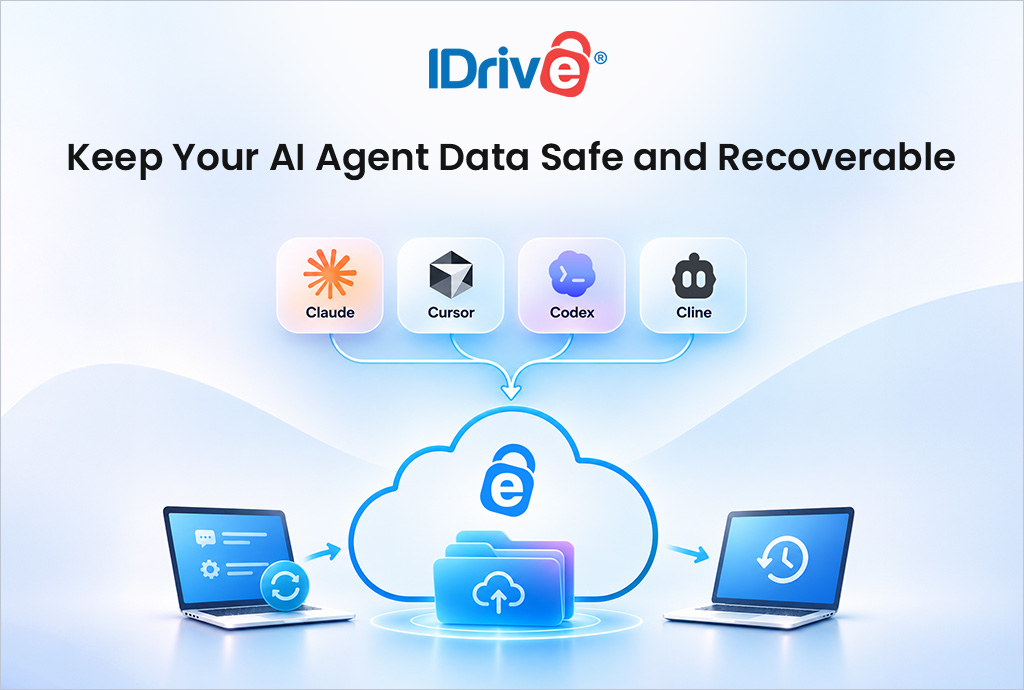
Today we’re introducing IDrive® AI Agents Backup, available now to all IDrive users. It automatically detects the conversations, settings, configurations, CLI data and other supported files your AI agents store locally, and backs them up to your IDrive account.
Why AI agent data needs a backup
Think about what happens when your laptop’s drive fails, you reinstall your operating system, or you move to a new computer. Your code is probably safe in a repository, but your agent setup isn’t. The chat history that explains why a decision was made, the instruction files you’ve tuned over weeks, your MCP server settings and your keybindings are all gone. Rebuilding them from scratch takes time and loses context you can’t get back.
AI Agents Backup closes that gap, so you can pick up right where you left off.
Supported agents and what gets backed up
- Claude: Claude Code conversation history from the terminal and desktop app, including session data; desktop app settings and preferences; Claude Code configurations, instruction files and local MCP server settings; and Cowork scheduled task configurations created with the “Only on this computer” option on Team and Enterprise plans.
- Cursor: AI chat history and workspace data; editor settings, keybindings and themes; installed extensions and their settings; and Cursor Agent CLI configurations and session data.
- Codex: Conversation history and context; workspace data from the ChatGPT desktop app; Codex CLI configuration files; and CLI session data.
- Cline: AI chat history and context; workspace data; VS Code extension and desktop app settings; and scheduled tasks.
Key features
- Automatic detection: IDrive finds supported AI agent files and folders on your computer, so you don’t have to hunt for them.
- Flexible, lean backups: Back up on demand or on a schedule. Temporary and cache files are skipped, so only the data you need is backed up.
- Simple restore: Restore your agent data in a few steps, then open the agent and sign in or reconnect your AI provider to keep working.
- One place to manage it all: Handle backups for all four agents from a single interface in the IDrive desktop app.
Built for real-world recovery
We built AI Agents Backup for the moments that matter most. Accidentally deleted something? Drive failed? Just reinstalled your agent or operating system? Restore your settings, CLI configurations, extensions and scheduled tasks and get back to work. Moving to a new computer? Bring your agents with you instead of setting each one up again.
AI Agents Backup works alongside IDrive’s standard file and folder backup, which continues to protect your project directories, code repositories, and source files. However, conversations stored on your AI provider’s servers, such as regular Claude chats and Cowork conversations, aren’t included in the backup.
Get started
IDrive AI Agents Backup is available now to all IDrive users through the IDrive desktop application. Learn more and sign up at www.idrive.com/ai-agents-backup.
Claude is a trademark of Anthropic, PBC. Cursor, Codex, ChatGPT, Cline and VS Code are trademarks of their respective owners.